
Discord bot dashboard: every setting in your browser
Log in with Discord and change any setting on a form instead of typing commands. Statistics, moderation cases, ticket transcripts, an embed editor, a welcome-card designer — and a history of every change, with undo.
Every setting, on a form
Each module has a page with the same settings the commands change. Channel and role pickers, previews where they help, and a save button. Nothing on the dashboard is required — everything can be done in Discord too.
Statistics
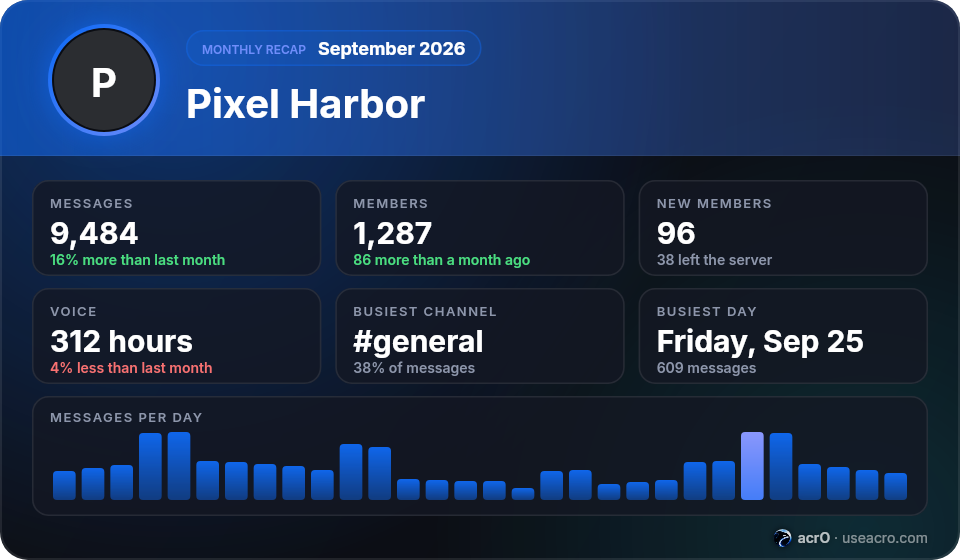
Members, messages and voice over time, the most active channels and hours, joins and leaves — and on the 1st of every month, a recap card for the owner (or a channel). Premium adds insights, a weekly report and CSV exports.
Server packs
Pick what kind of server you run — gaming, streamer, Minecraft and game servers, community or a server for friends — and the modules it usually needs are switched on in one click. The same choice is the second step of /setup, which then asks only what fits your kind of server.
Builders
An embed editor with a live preview, the welcome-card and rank-card designers, a role-menu builder, a custom-command builder, an automod editor with a message tester, scheduled messages, and lists for alerts, tags, sticky messages, counters, voice hubs and application forms.
History with undo
Every change — from a command or from the dashboard — is recorded with who made it. Anything can be undone with one click, including turning a module off by mistake.
The same permissions as in Discord
A server shows up for people with Manage Server on it; moderators without it get a read-only view of cases, tickets, reports and appeals. Owner-only modules (anti-nuke, backups) stay owner-only on the dashboard too. Sessions are signed cookies; the bot never stores your Discord password or token.
Setting it up
- Open the dashboard and log in with Discord.
- Pick a server you manage.
- Change a setting, save — the bot applies it immediately.
Questions
Who can log in?
Anyone with a Discord account; a server is listed for people who have Manage Server on it.
Is the dashboard required?
No. Every setting has a command; the dashboard is the same thing with forms.
Troubleshooting
Discord slash commands not showing: installation and permissions
Try it on your server
Free, no card, no Administrator permission. Run /setup and you're done in two minutes.